






Radar is part of SalesJack. Your team asks questions about its data in plain English, and Radar answers and flags the opportunities and risks reps should act on.
Radar - New in SalesJack
Find the answer.See the opportunity.
Ask your data questions in plain English. Radar answers, and flags the opportunities your reps should act on.
Book a DemoRadar Chat
Ask your dealer data
Faster account preparation, easier data discovery, and better decisions with the source context still inside the CRM.
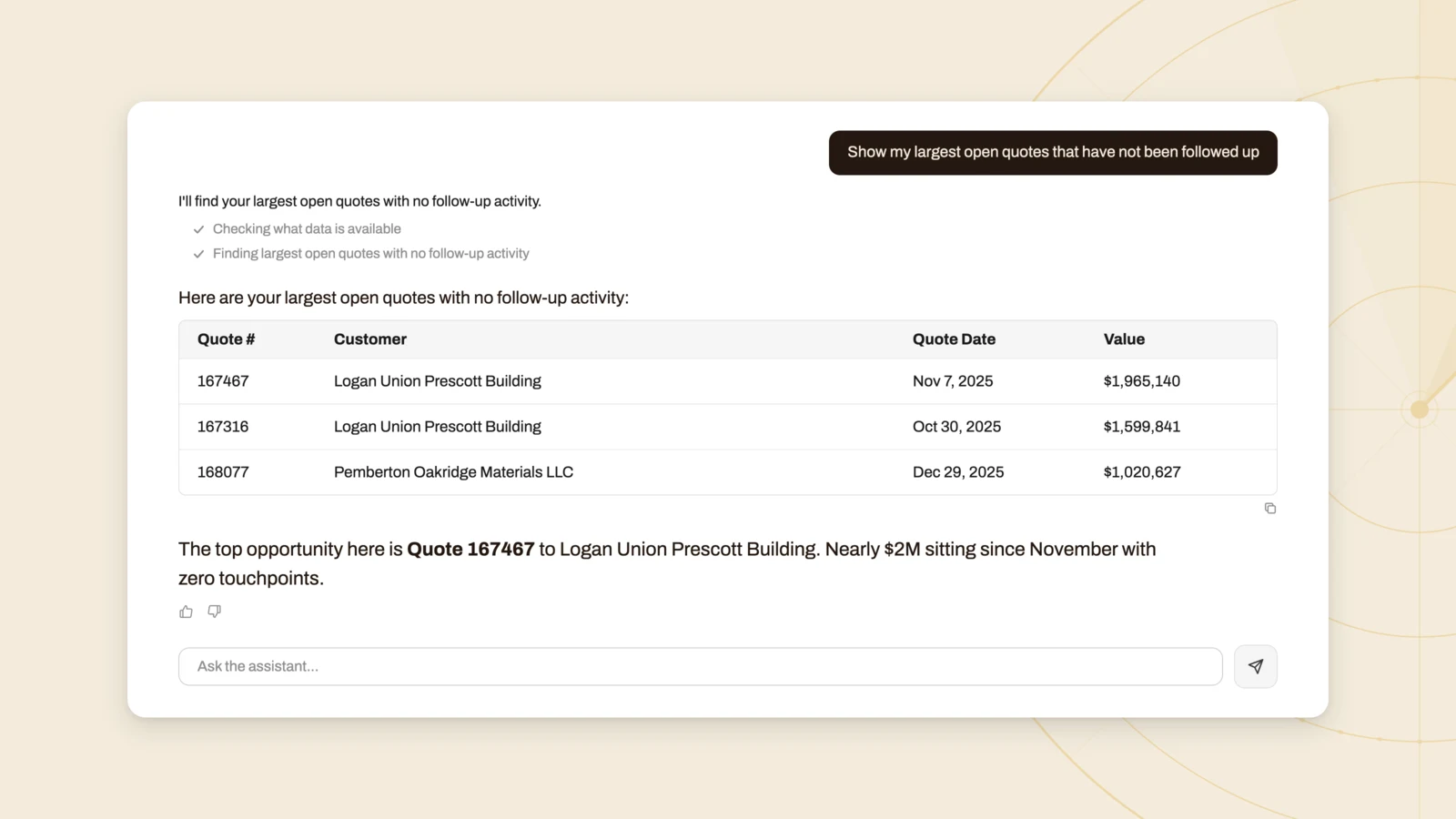
Ask questions in plain language across your connected ERP, quote, permit, and CRM data, without building a report or switching systems.
“Which of my customers have active permits but no recent orders?”
“Show my largest open quotes that have not been followed up.”
“What has this builder purchased across its jobsites?”
Radar Flags
See what needs attention
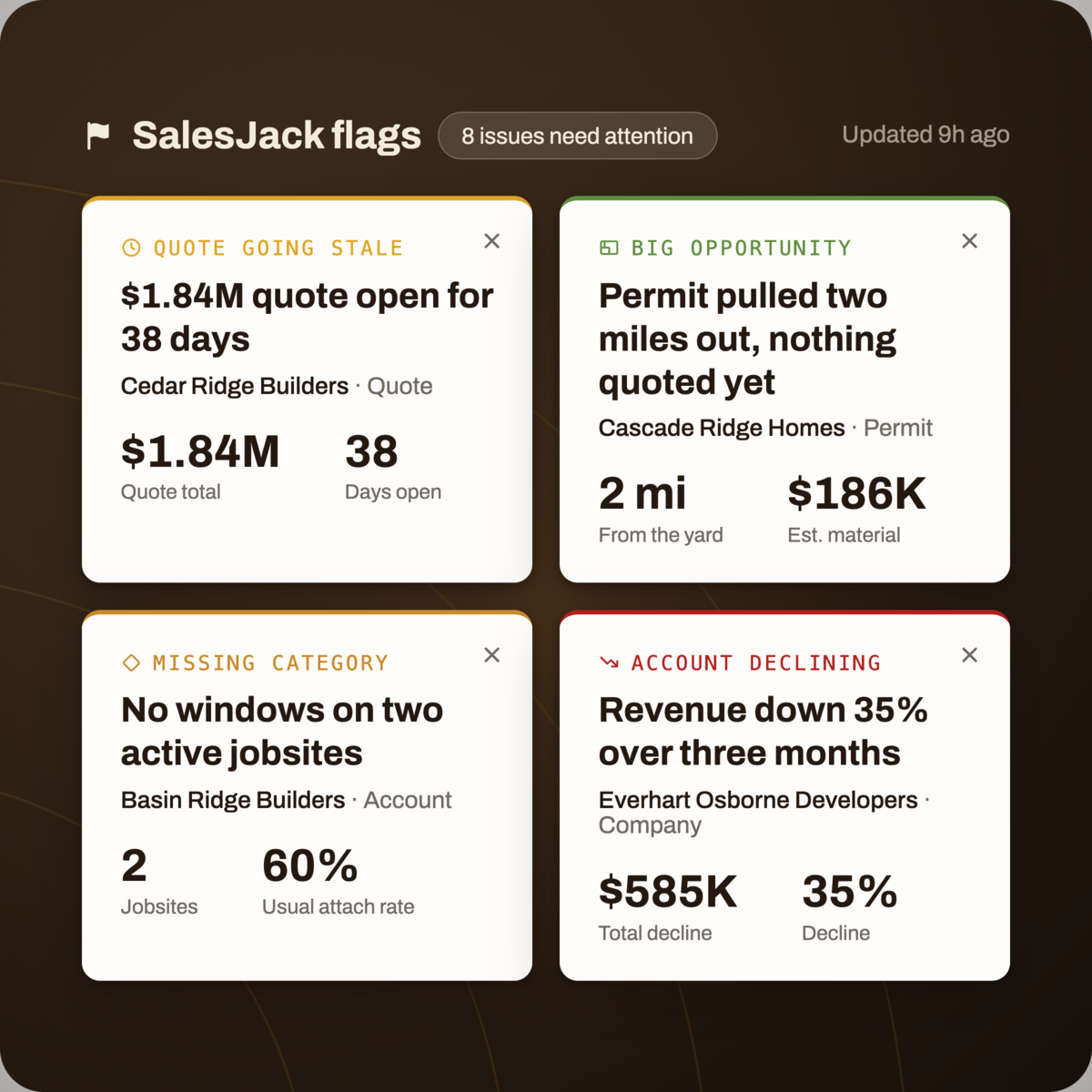
Radar surfaces the opportunities and risks most worth attention, using flags configured around your sales priorities. Managers can see opportunities across the team, while reps receive a prioritized view of their own accounts.
Creates a consistent daily action list, improves follow-up discipline, and gives managers a clearer coaching view.
Grounded in your data.Permission-aware by design.
Every flag leads back to the supporting customer, quote, permit, order, or job context.
Each rep searches only the customers and data they are authorized to access. Broader management views can be configured where appropriate.
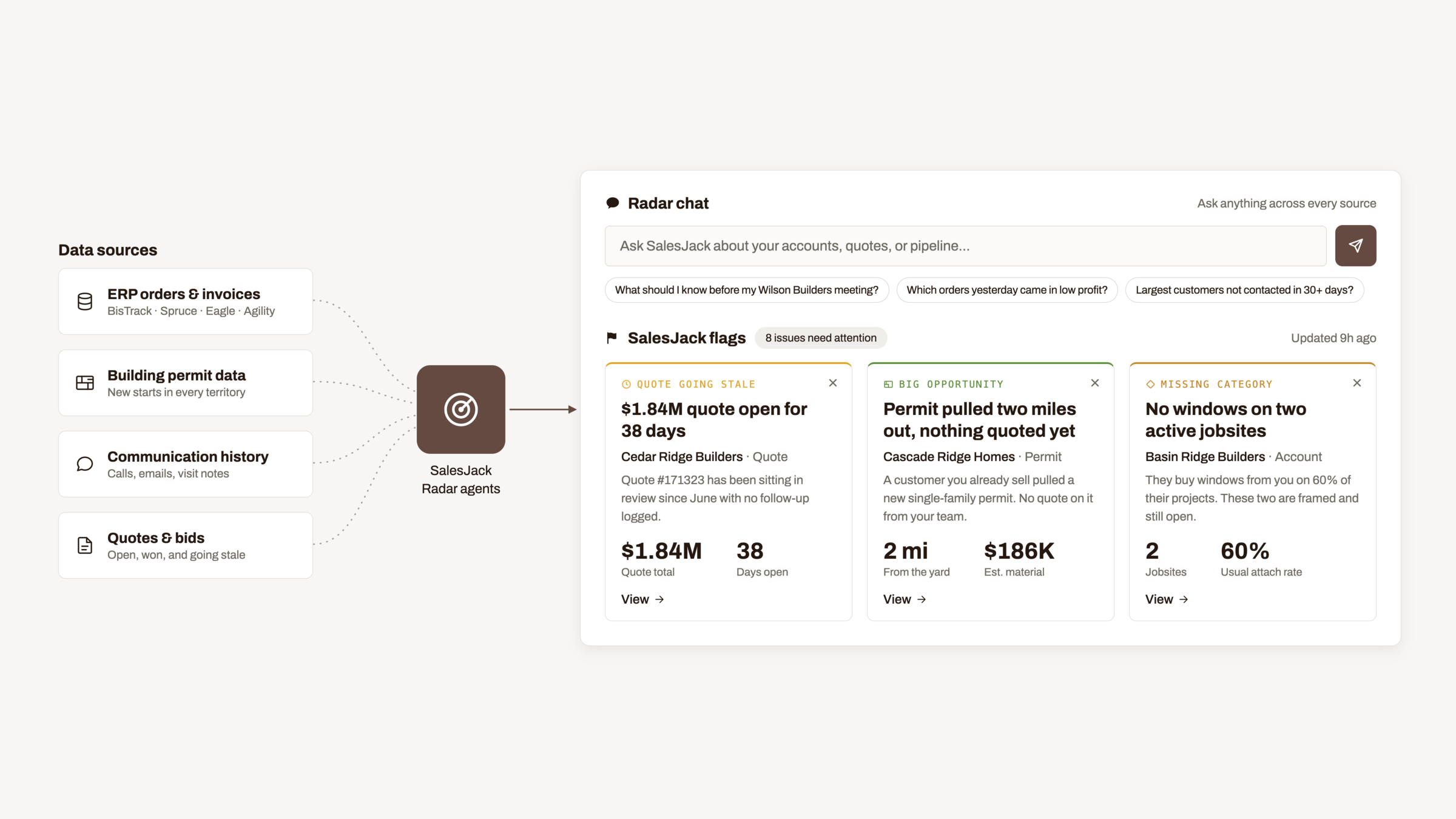
Every source. One answer.
Data sources
ERP orders & invoices
Building permit data
Communication history
Quotes & bids
SalesJack Radar agents
Building suppliers grow stronger with SalesJack
View All Case StudiesRadar FAQs
ContactRadar works across your connected ERP, quote, permit and CRM data, including ERP orders and invoices, building permit data, communication history, and quotes and bids. Reps can ask questions without building a report or switching systems.
Reps can ask questions such as which customers have active permits but no recent orders, which large open quotes have not been followed up, or what a builder has purchased across its jobsites.
Flags are configured around your sales priorities. Managers see opportunities across the team, and each rep gets a prioritized view of their own accounts. Every flag leads back to the supporting customer, quote, permit, order or job record.
No. Each rep searches only the customers and data they are authorized to access. Broader management views can be configured where appropriate.
